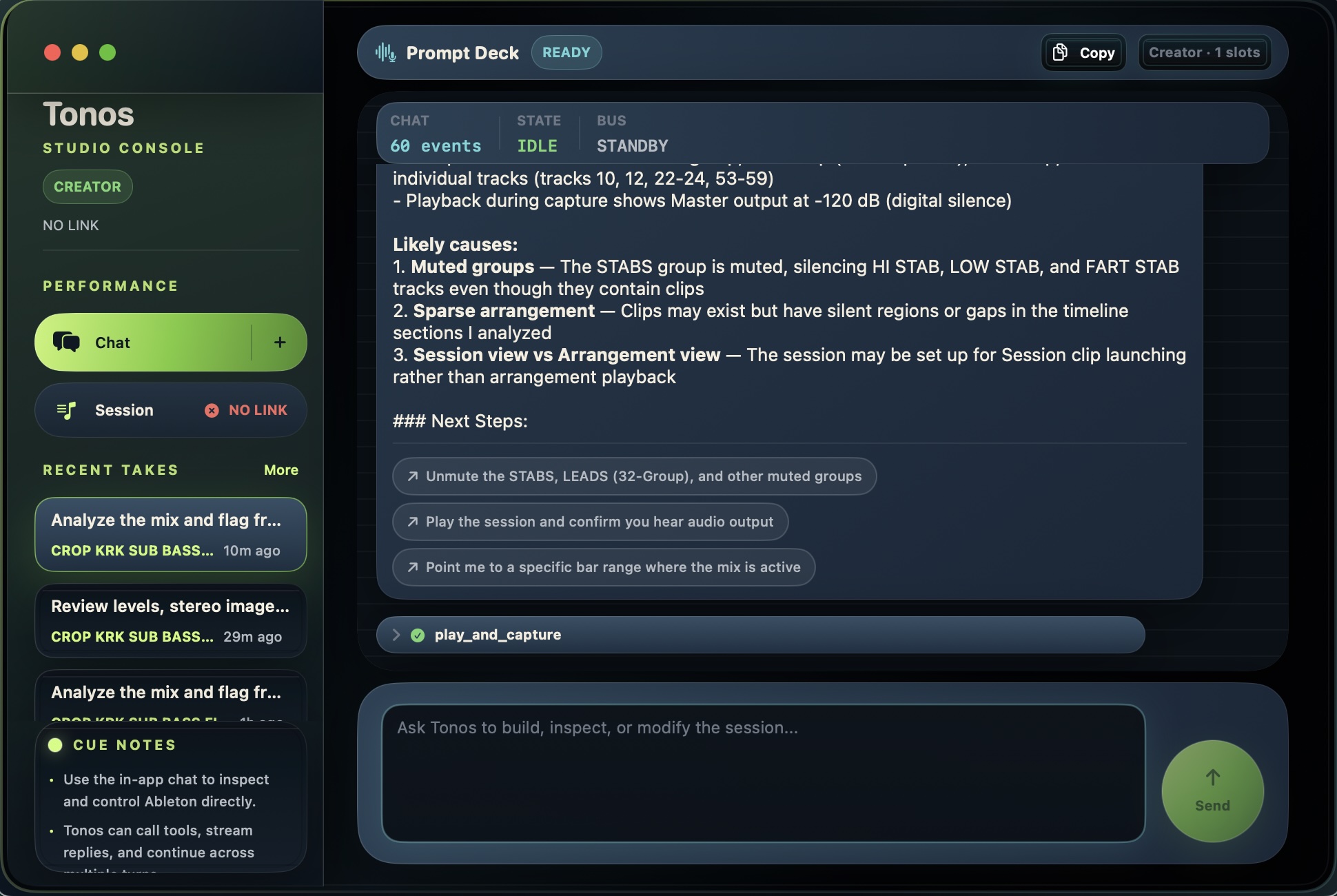
Mix & Master Assistant
Tonos
Music production is a process.
Parts of that process can be hard to master.
Tonos is here to help
macOS 12+ or Windows 10/11 (64-bit) · Ableton Live 11 & 12
Definition
What are mixdowns?
Mixdowns are an integral part of making music during the final stages of production, especially for producers who intend to release their tracks or get signed.
The primary function for mixdowns can be difficult for the untrained ear to hear, but with proper application the results can be substantial.
Process
What is the process of completing a mixdown?
The process involves adjusting volume levels, panning, EQ, and effects to make the audio sound polished before mastering. It requires technical knowledge and an understanding of the tools needed for the process, which are hard to learn and even harder to master.
Assistance. Knowledge.
Delivered simultaneously.
Tonos breaks down advanced production concepts into easy-to-digest responses. Then allows you to decide whether to implement the suggested edits or have Tonos jump in and do the dirty work for you.
Install
Download Tonos and run setup. Open Ableton, then open Tonos. It detects Ableton automatically and connects to your session.
macOS 12+ or Windows 10/11 · Ableton 11 & 12 · All editions
Learn
Tonos detects and locates areas of improvement, then allows you to have Tonos implement the Improvements for you.
One-time setup · No other apps required
Improve
Utilize Tonos into your workflow and allow Tonos to take on the tasks that slow you down.
100+ tools · analysis built in
How Tonos Works
This is a real analysis from Tonos. Describe what you want, Tonos listens to the session and utilizes Ableton's library of tools to assist you.
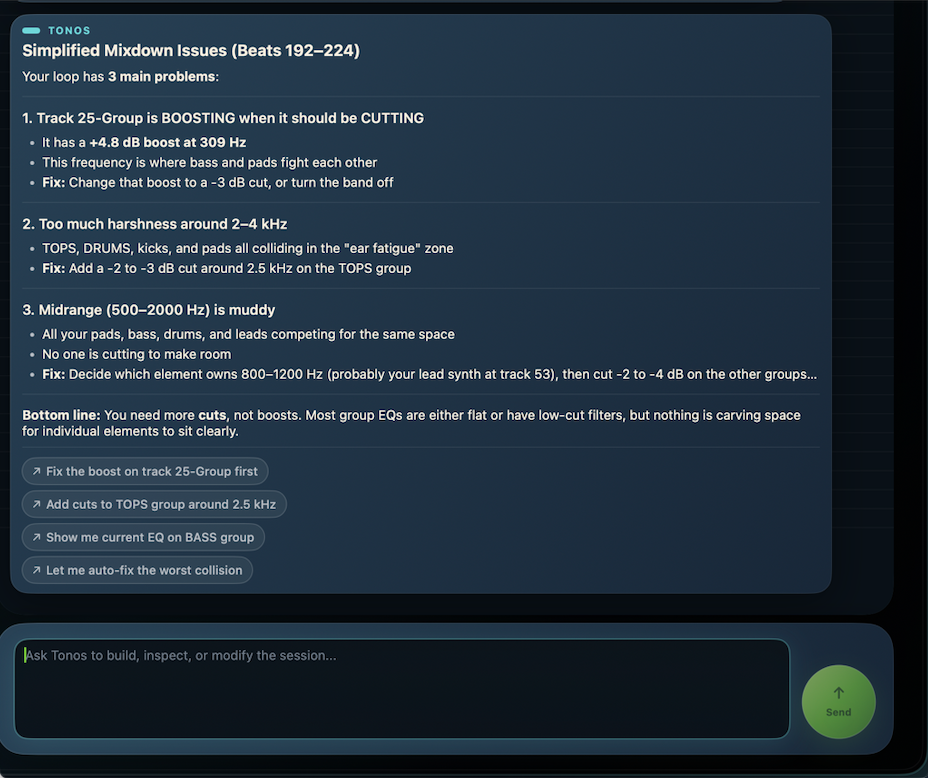
Understand what your mix is telling you
Tonos is the Ableton-native mixdown and mastering navigator: it analyzes your mix, finds masking and frequency collisions, then uses 100+ Ableton tools to help you fix what it hears.
Frequency Collision Checks
Find where kick, bass, vocals, and synths are masking each other. Tonos shows the problem range and the tracks involved so you can fix the mix with confidence.
EQ Move Planning
Turn analysis into concrete Ableton moves: narrow cuts, high-pass cleanup, gain trims, and sidechain options that target the actual collision instead of guessing.
Mixing & Levels
"Turn the vocals up 3dB and tuck the harsh synth range." Tonos adjusts volume, panning, mutes, and device parameters so you can focus on how it sounds.
Session Diagnostics
Inspect tracks, returns, devices, routing, analyzer coverage, and transport state from one place. Tonos helps you understand what is in the session before changing it.
Pricing with flexibility and accessibility.
Every plan includes a monthly token allowance for hosted guidance that teaches what Tonos hears: masking, balance, EQ choices, headroom, loudness, and the Ableton moves behind them.
Creator
Hosted guidance included
- Ableton-native mixdown and mastering navigator
- All 100+ tools: levels, devices, routing, analysis
- Guided mixdown education: masking, balance, EQ choices
- Mastering follow-through: headroom, loudness, export readiness
- Real-time audio spectrum analysis
- 2M tokens of hosted guidance every month (≈2 mix sessions)
- 2 machines
- Extra tokens from $10 if you need more, kept until spent
Producer
Hosted guidance included
- Everything in Creator
- 5M tokens of hosted guidance every month (≈6 mix sessions)
- 5 machines
- Extra tokens from $10 if you need more, kept until spent
Pro
Hosted guidance included
- Everything in Producer
- 15M tokens of hosted guidance every month (≈20 mix sessions)
- Unlimited machines
- Extra tokens from $10 if you need more, kept until spent
- Priority support
What is a token? Tokens measure hosted guidance. Tonos spends them when it analyzes your mix, explains what it hears, and applies fixes in Ableton. A full mix session uses about 750K tokens; quick questions use far fewer. Included tokens reset every month, and extra tokens you buy are kept until spent.
Free 14-day trial for one active track, guided mixdown education, 2.5M tokens of hosted guidance (≈3 mix sessions), and 1 machine, no credit card required.
Start Free TrialRequires Ableton Live 11 or 12 and macOS 12+ or 64-bit Windows 10/11.
Your audio stays on your machine. Only chat messages reach the cloud.
Frequently asked questions
How does pricing work?
Tonos uses a monthly subscription for guided mixdown education, mastering follow-through, and hosted guidance. Each plan includes a monthly token allowance: Creator is $25/mo with 2M tokens (2 machines), Producer is $39/mo with 5M tokens (5 machines), and Pro is $79/mo with 15M tokens (Unlimited machines).
What are tokens, and how many do I get?
Tokens measure hosted guidance. Tonos spends them when it analyzes your mix, explains what it hears and why a mixdown or mastering move helps, and applies fixes in Ableton. Each month Creator includes 2M tokens, Producer includes 5M tokens, and Pro includes 15M tokens. Your remaining balance is shown in the app's License tab. Internal usage records support abuse prevention and provider reconciliation.
What counts as a mix session?
A mix session is a full mix analysis (get_mix_issues) plus the follow-up fixes, typically about 750,000 tokens. Creator includes 2,000,000 tokens per month (≈2 mix sessions), Producer includes 5,000,000 tokens (≈6 mix sessions), and Pro includes 15,000,000 tokens (≈20 mix sessions). Lighter chats use far fewer tokens, so many conversations barely dent the allowance. Included tokens reset each month; purchased top-up tokens carry over until spent.
What if I need more hosted usage?
You can buy one-time extra tokens from the License tab starting at $10. Top-ups let trial and paid users test heavier premium sessions without starting or changing a monthly plan. You can also enable auto-recharge in the app's License tab: when your balance drops below 100,000 tokens, Tonos automatically buys the 1,250,000-token pack with the card on file. Auto-recharge is off by default, and you can disable it anytime.
Is there a free trial?
Yes. Sign up with your email for a 14-day, one-track free trial with no credit card required. You get 2.5M tokens of hosted guidance (≈3 mix sessions) and 1 machine. The trial does not automatically convert to a paid subscription.
Can I use Tonos on multiple machines?
Yes. Creator includes 2 machines, Producer includes 5 machines, and Pro includes Unlimited machines. The account page lets you review active machines.
What version of Ableton do I need?
Ableton Live 11 or 12, any edition: Intro, Standard, or Suite. Tonos works with all of them. No Max for Live required.
Is this macOS only?
No. Tonos supports macOS 12 (Monterey) and later plus 64-bit Windows 10 and Windows 11.
Is my audio sent to the cloud?
No. Audio analysis runs entirely on your computer. Only your text chat messages and selected model context are sent for processing. Your audio, project files, and samples stay on your machine.
What about future updates?
All updates are included with your subscription. You get every new feature and improvement as long as your plan is active.